
AI Use Cases
Practical AI Use Cases for Mid-Sized Companies
AI use cases help companies identify where AI can create practical business value instead of becoming another layer of scattered experimentation. Many organizations know AI matters, but the number of possible applications can feel overwhelming. Buildtelligence helps mid-sized companies evaluate AI use cases based on workflow fit, governance needs, human expertise, architecture, privacy, cost control, reliability, and the likelihood that the idea can become a usable system.
Which AI use cases fit mid-sized companies? How do we prioritize use cases?
How to Use This Page
This page is designed to help leadership teams, department heads, and operators think through where AI may belong in the business. The goal is not to chase every possible AI idea. The goal is to identify use cases that connect to real work, real decisions, real knowledge, and real operational friction.
Step 1
Identify Real Friction
Look for bottlenecks, repeated knowledge work, inconsistent decisions, or slow handoffs that create operational drag.
Step 2
Evaluate Workflow Fit
Pressure-test each idea against workflow clarity, available knowledge, review needs, privacy exposure, and measurable business value.
Step 3
Prioritize What Can Be Implemented
Move the use cases that can be governed, trained, routed, reviewed, and improved over time into the next-stage service path.
Not every use case should become an implementation project. Some should begin with consulting. Some require readiness work. Some need governance first. Some need architecture review. Some may be good candidates for AI skills, private knowledge assistants, or ThinkFreely-supported operating-layer control.
The Strongest AI Use Cases Are Operational
The market is often focused on AI generation: writing, summarizing, answering, drafting, and automating individual tasks. Those use cases can be useful, but the larger long-term business opportunity is operational AI.
Task-Level AI
Useful for drafting, summarizing, answering, and accelerating individual work.
Operational AI
Focuses on routing, privacy, review, cost visibility, instruction stability, governance, reliability, and repeatable system behavior.
That is why Buildtelligence evaluates use cases through an implementation-first lens. A use case is not valuable just because AI can do something. It is valuable when the company can use it responsibly, repeatedly, and measurably inside the business.
Featured Use Cases
Each use case should be expanded, scoped, governed, and validated before rollout.

Use Case 1
AI Operating Layer for Multi-Model Routing
Problem: Teams use different AI tools and models without a shared way to decide which request should go where. Sensitive work, low-value tasks, vision requests, and high-priority workloads may be handled inconsistently.
Outcome: A governed operating layer can route requests based on capability, privacy, cost, urgency, availability, and reliability.
Best fit: ThinkFreely + AI architecture review

Use Case 2
Human Expertise Extraction Into AI Skills
Problem: Critical judgment lives inside executives, managers, subject-matter experts, and senior employees. Their decision logic, escalation instincts, client-handling style, and process knowledge may not be documented.
Outcome: Buildtelligence can extract that knowledge and turn it into governed AI skills that support repeatable work, training, review, and decision preparation.
Best fit: AI skills + workflow implementation

Use Case 3
Private Knowledge Assistant for Internal Knowledge
Problem: Employees waste time searching for policies, SOPs, templates, training materials, client information, or historical decisions. Valuable knowledge is scattered or held by a few experienced people.
Outcome: A private knowledge assistant can make approved knowledge and captured expertise easier to access while preserving permissions, source controls, and governance.
Best fit: Private knowledge assistants + governance and training

Use Case 4
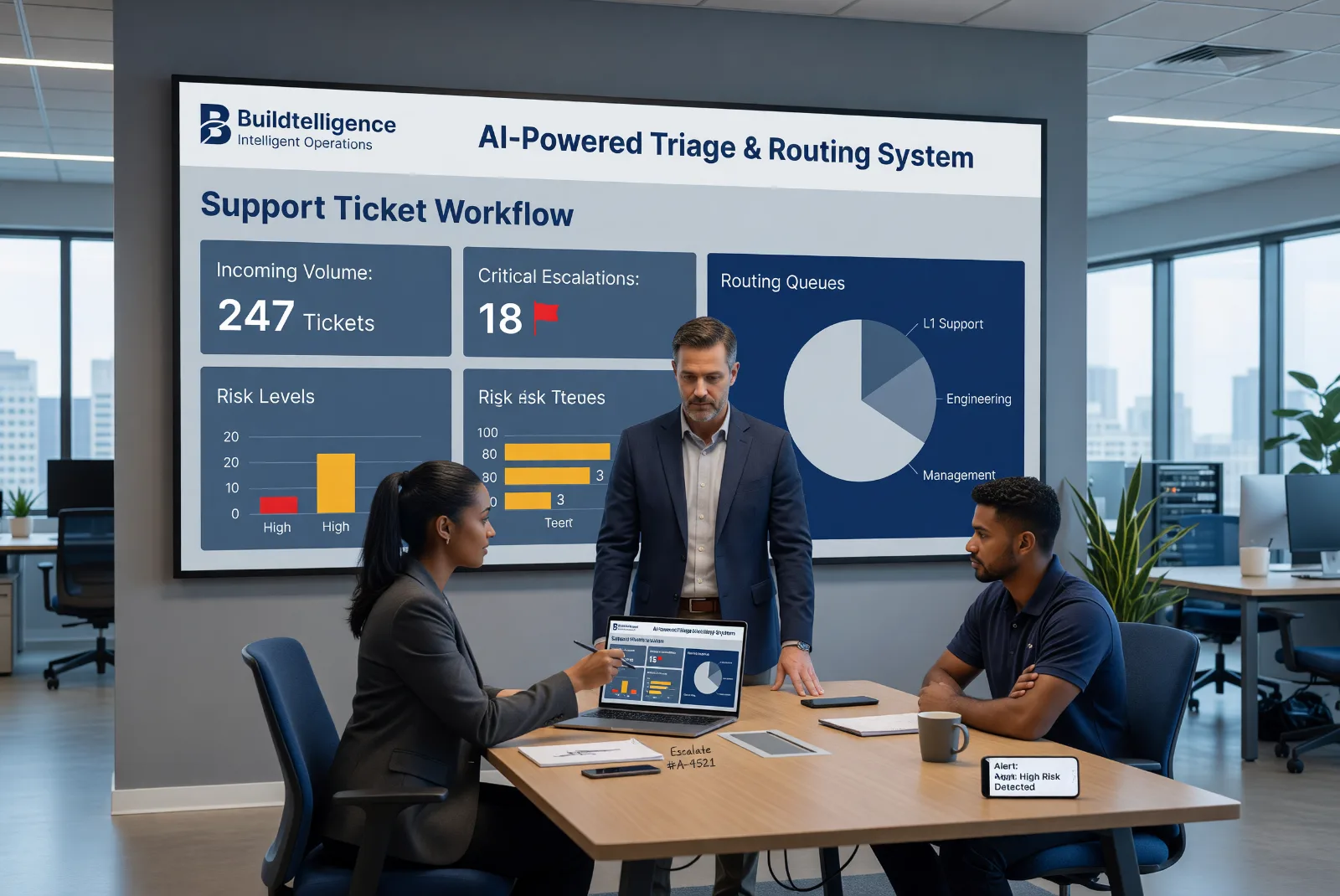
Support Ticket Triage Workflow
Problem: Support teams classify, prioritize, route, and escalate tickets inconsistently. Sensitive issues, legal threats, refund requests, and urgent customer problems may not always be flagged the same way.
Outcome: An AI-supported triage workflow can summarize tickets, classify issue type, flag escalation needs, recommend routing, and preserve human review for sensitive cases.
Best fit: Workflow implementation + AI skills

Use Case 5
AI Governance for Informal Employee Usage
Problem: Employees may already be using AI without shared rules for sensitive data, approved tools, review expectations, output quality, or escalation.
Outcome: AI governance and training defines what is allowed, what requires review, what should be avoided, and how teams should use AI safely in daily work.
Best fit: AI governance and training

Use Case 6
AI Cost and Tool-Sprawl Review
Problem: Departments adopt separate AI tools, use premium models for low-value work, or create duplicated subscriptions without usage visibility.
Outcome: A review identifies where AI spend is growing, which use cases need premium models, where lower-cost options may fit, and whether an operating layer should support visibility and routing.
Best fit: Architecture review + ThinkFreely

Use Case 7
Executive Briefing Workflow
Problem: Leaders need concise, reliable briefings from meeting notes, reports, market updates, internal documents, and stakeholder inputs. Without structure, summaries vary in quality or miss important risks.
Outcome: An AI-supported briefing workflow defines sources, summary format, risk flags, decision points, review steps, and leadership-ready output standards.
Best fit: Workflow implementation + AI skills

Use Case 8
AI Application Decoupling
Problem: Applications become bloated when AI logic, prompts, model routing, privacy rules, fallback behavior, and skill instructions are embedded directly into application code or custom middleware.
Outcome: An operating-layer pattern keeps applications lighter by moving skill state, routing, privacy-aware handling, failover, and model decisions into ThinkFreely where appropriate.
Best fit: Architecture review + ThinkFreely
More Use Cases Below
The categories below organize practical AI use cases by department and operating focus. Use them as starting points for prioritization.

Use Cases Tend to Cluster Around the Same Operating Needs
Most high-value AI opportunities trace back to the same recurring themes: knowledge access, workflow consistency, human review, routing, governance, and measurable business impact. The groups below help teams scan those opportunities faster.
Use Case Categories
The strongest opportunities usually appear where employees repeat knowledge-heavy work, rely on expert judgment, or make decisions that require consistent process.
Group A: Operating Layer, Governance, and Expertise Capture
AI Operating Layer and ThinkFreely Use Cases
As AI adoption grows, companies often need more than individual tools. They need an operating layer that can route, govern, monitor, and stabilize AI activity across models, workflows, privacy rules, and teams.
- Multi-model intelligent routing
- Privacy-aware AI dispatch
- Local versus remote model decisions
- Priority-aware queueing
- AI failover and business continuity
- AI reliability and drift control
- AI compliance logging
- AI vendor abstraction
- AI application decoupling
- AI operational analytics
Best-fit services: ThinkFreely, AI architecture review, AI implementation.
Governance, Risk, and Control Use Cases
Many companies need AI governance before AI usage expands further, especially when employees are already using public tools, sensitive information is involved, or leadership lacks visibility.
- AI usage policy development
- AI data-handling rules
- Sensitive-data review workflows
- AI compliance logging
- Role-based AI access standards
- AI review and approval processes
- Governance for AI skills
- Governance for private knowledge assistants
- AI change management tracking
- Department-specific AI training
Best-fit services: AI governance and training, architecture review, ThinkFreely.
AI Skills and Human Expertise Use Cases
One of the highest-value AI use case categories is turning critical human expertise into repeatable AI-supported capabilities. Many companies rely on executives, managers, subject-matter experts, and senior operators whose judgment is not fully documented.
- Executive judgment capture
- Management escalation logic
- Sales methodology extraction
- Consulting reasoning capture
- Client-handling standards
- Support ticket triage skills
- Brand voice writing skills
- Code review skills
- Proposal review skills
- Decision-support skills
- Internal training skills
Best-fit services: AI skills, workflow implementation, governance and training.
Group B: Knowledge, Operations, and Leadership Support
Internal Knowledge and Organizational Memory Use Cases
- Private knowledge assistants
- AI organizational memory
- Policy lookup
- SOP search and explanation
- Training material retrieval
- Client or account knowledge access
- Historical decision lookup
- Captured expert guidance
- Onboarding support
- Lessons-learned retrieval
- Meeting outcome search
Best-fit services: private knowledge assistants, governance and training, workflow implementation.
Operations and Process Support Use Cases
- AI SOP enforcement
- Operations documentation support
- Internal request triage
- Meeting-note summarization
- Recurring report preparation
- Action-item extraction
- Quality review support
- Workflow exception guidance
- AI workforce orchestration
- Approval-chain support
- Human-and-AI task allocation
Leadership and Executive Support Use Cases
- Executive briefing preparation
- AI executive dashboard narration
- Decision-support summaries
- Risk and issue flagging
- Strategic initiative tracking
- Internal memo preparation
- Capturing executive judgment into AI-supported skills
- Leadership reporting
- AI workforce ROI measurement
Why this group matters
These use cases tend to win when teams need better access to trusted knowledge, more consistent execution, and clearer support for leaders making decisions under time pressure.
Group C: Revenue, Service, and Team Enablement
Sales and Business Development Use Cases
- Discovery call preparation
- Proposal support
- Lead qualification assistance
- Follow-up email drafting
- Objection handling preparation
- Account research summaries
- AI sales engineering assistant
- Churn-risk flagging
- Margin or service recommendation support
- Sales enablement knowledge assistants
- Capturing senior salesperson judgment into repeatable AI skills
Customer Service and Support Use Cases
- Support ticket triage
- Customer message summarization
- Escalation flagging
- Response drafting
- Sentiment and urgency classification
- Knowledge-assisted support responses
- Refund or policy guidance with review controls
- Internal support recommendations
- AI review response governance
- Legal or reputation-risk detection
HR, Training, and Onboarding Use Cases
- Employee onboarding assistants
- Policy lookup
- Training reinforcement
- Role-specific guidance
- Internal FAQ support
- Manager review checklists
- Hiring process documentation support
- Sensitive information escalation guidance
- Captured management guidance
- Department-specific training agents
Group D: Marketing, Technical, and Vertical-Specific Opportunities
Marketing, Agency, and Content Workflow Use Cases
- Brand voice writing skills
- Content outline development
- Campaign briefing
- Research summaries
- Social post drafting
- Content QA checklists
- Competitive message review
- Repurposing long-form content into smaller assets
- AI SEO opportunity mapping
- AI reporting interpretation
- White-label AI consultant layer
- AI onboarding coordinator for agencies
- AI proposal assistant
Technical, Product, and Development Support Use Cases
- Code review support
- Technical documentation drafting
- Bug report summarization
- Support log analysis
- Requirements clarification
- Product feedback synthesis
- Release-note assistance
- Engineering knowledge assistants
- AI vendor abstraction
- Application decoupling
- Lightweight AI-enabled applications
- Reduced AI middleware complexity
Vertical-Specific AI Use Cases
- Law firm AI operating layer
- Matter classification
- Privileged communication safeguards
- Legal drafting support with review controls
- Healthcare workflow governance
- Prior authorization assistance
- Clinical summarization support
- HIPAA-sensitive local routing
- Real estate knowledge systems
- Franchise AI standardization
- Local customization boundaries for franchise teams
- Industry-specific training assistants
Regulated or privacy-sensitive use cases should be evaluated carefully before implementation because governance, human review, data handling, and architecture may determine whether the use case is appropriate.
Prioritization Framework
Buildtelligence does not rank AI use cases by novelty. We rank them by implementation potential. The best AI use case is not always the most exciting one. It is the one that has enough value, clarity, and readiness to move forward.
- Business value. Does it reduce friction, improve consistency, save time, or protect knowledge?
- Workflow fit. Can the workflow be mapped, trained, reviewed, and measured?
- Knowledge readiness. Is the supporting knowledge available or capturable?
- Governance and privacy. What data is involved, what needs review, what rules must be active?
- Architecture and operating-layer needs. Can it run inside existing tools, or does it need ThinkFreely-style routing, privacy-aware handling, or instruction stability?
- Adoption readiness. Are stakeholders involved, is leadership aligned, is the use case narrow enough?
- Measurement potential. Can the company measure time saved, quality improved, risk reduced, or capacity increased?

What to Do Next
Once potential use cases are visible, the next step depends on what the company needs most.
- Need help choosing and prioritizing? Start with an AI readiness assessment.
- Need a roadmap from current state to implementation? Review AI initiative acceleration.
- Need to build a workflow? Explore AI workflow implementation.
- Need to turn expert knowledge into repeatable behavior? Explore AI skills.
- Need to make internal knowledge accessible? Review private knowledge assistants.
- Need an operating layer for routing, privacy, visibility, or reliability? Learn about ThinkFreely.
- Need policies, training, and usage standards? Review AI governance and training.
- Need model, privacy, routing, or infrastructure clarity? Start with an AI architecture review.
When You Need This
- Leadership wants to know where AI should start
- Teams are already experimenting independently
- There are too many use cases competing for attention
- Employees have useful AI habits that need structure
- Expert knowledge needs to be captured
- A private knowledge assistant is being considered
- Workflows need to be evaluated for AI fit
- Governance and privacy concerns affect prioritization
- ThinkFreely may be needed for operating-layer control
- AI cost, reliability, or vendor-dependency concerns are emerging
When This Is Not the Right Fit
AI use case discovery is not the right fit if the company is looking for novelty rather than business value, or if the organization is unwilling to prioritize, define owners, or make decisions about what should move forward.
If the company already has a selected use case and needs help building it, AI implementation services or workflow implementation may be the better fit.
Frequently Asked Questions
What are AI use cases?
AI use cases are practical applications of AI inside a business. They define where AI can support work, improve workflows, make knowledge more usable, assist decisions, or create operational value.
How do we choose the right AI use case?
The right AI use case should have business value, workflow fit, available knowledge, manageable risk, governance clarity, and a practical implementation path.
Should we start with the easiest AI use case?
Not always. The best starting use case is usually one that balances value, feasibility, risk, and readiness. Easy ideas may not matter enough, while high-value ideas may require preparation first.
Can Buildtelligence help prioritize AI use cases?
Yes. Buildtelligence can help identify, score, and prioritize AI use cases based on business value, workflow readiness, governance needs, privacy concerns, architecture requirements, and implementation difficulty.
How do AI use cases connect to AI skills?
Some use cases become AI skills when they involve repeatable task behavior. AI skills define the instructions, review process, governance, and routing expectations for those tasks.
How do AI use cases connect to private knowledge assistants?
Some use cases require better access to internal knowledge. In those cases, a private knowledge assistant may help employees find and apply approved information.
Do AI use cases require ThinkFreely?
Not always. Some use cases can operate inside existing tools. ThinkFreely may be recommended when a use case needs stronger routing, privacy-aware handling, usage visibility, priority control, failover, or instruction stability.
What are AI operating-layer use cases?
AI operating-layer use cases involve routing, privacy-aware dispatch, queueing, failover, usage visibility, cost governance, instruction stability, and model selection across AI systems. These use cases often point toward ThinkFreely.
What is the difference between an AI workflow use case and an AI operating-layer use case?
An AI workflow use case improves a business process, such as support triage, reporting, onboarding, or executive briefing. An AI operating-layer use case manages how AI work is routed, governed, monitored, prioritized, and controlled across systems.
Can Buildtelligence help with industry-specific AI use cases?
Yes. Buildtelligence can help evaluate industry-specific AI use cases for law firms, healthcare organizations, real estate companies, franchises, agencies, service businesses, and other privacy-sensitive or knowledge-heavy environments.
What happens after we identify use cases?
The next step may be an implementation roadmap or direct implementation, depending on readiness. Some use cases move into AI workflow implementation, AI skills development, private knowledge assistant planning, governance and training, architecture review, or ThinkFreely planning.

Find the AI Use Cases That Are Worth Implementing
AI use cases only matter when they can become useful inside the business. Buildtelligence helps companies identify, prioritize, and prepare the use cases that have the best chance of becoming practical, governed, measurable, and scalable AI implementation paths.